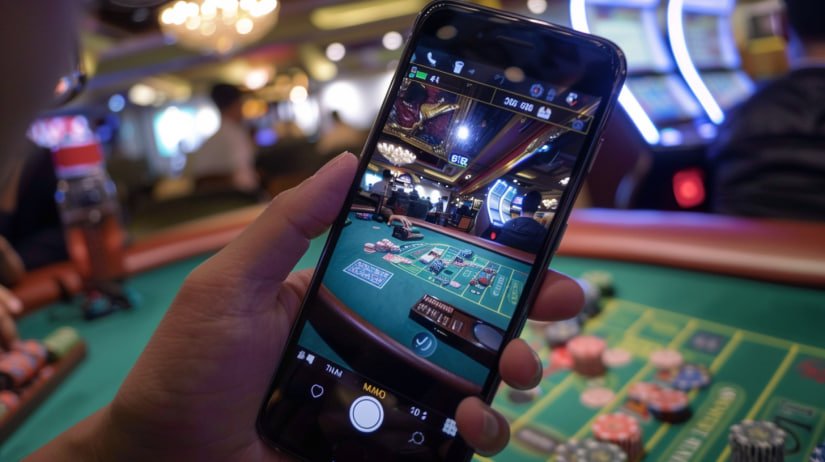
The hogo77 app is available for Android and iOS. Install in under 2 minutes, login and play instantly without opening a browser. Faster, smoother and more secure.
Official Download
The hogo77 app is built specifically for both major platforms. Choose your version and start installing now.
Full support for Android 8.0 and above. The lightweight file size ensures smooth performance even on older phones. The auto-update feature keeps you on the latest version without needing to manually re-download.
Download Android APKDesigned exclusively for iPhone and iPad with a responsive and fast interface. Supports Face ID and Touch ID for secure and quick login. Compatible with iOS 14 and above, including the latest iPhones with Dynamic Island.
Download for iOS
Why Choose the Hogo77 App
Many players start on the web version, but once they try the hogo77 app, almost all of them choose to stick with it. The reason is simple — the in-app experience is far smoother, more responsive, and more enjoyable than a regular browser.
The hogo77 app is built with the latest hybrid technology, ensuring slot animations run at 60fps without lag — even on a standard 4G connection. Live Casino streams in high quality with no frustrating buffering.
One thing users consistently praise is real-time notifications. When there is a flash promotion, deposit bonus, or new tournament, you will know before anyone else. That is the advantage app users have over regular web users at hogo77.
Security is nothing to worry about either. Every login session in the app is protected with 256-bit SSL encryption, and you can enable two-factor authentication (2FA) for an added layer of security. Your account data and financial information are never stored locally on your device.

App Features
From Slots to Live Casino, from Sports Betting to account management — everything can be done directly from the hogo77 app.
All the most popular slots are fully available in the app — Gates of Olympus, Sweet Bonanza, Starlight Princess, and hundreds more from the world's leading providers.
Live streams with real dealers in HD video quality. Baccarat, Roulette, Dragon Tiger, and Blackjack are available 24 hours a day without interruption.
Over 30 sports covered including football, badminton, basketball, and e-sports. Live odds are updated every second during matches.
DuitNow, FPX, Touch 'n Go and Boost are fully supported. Deposits are processed within 30 seconds, withdrawals in under 3 minutes directly to your bank account.
All bonus offers, cashback, rebates, and loyalty programmes can be tracked and claimed directly in the app. Never miss an exclusive promotion for app members.
In-app live chat is available 24 hours a day. Our support team speaks both Malay and English and is ready to assist whenever you need help.
Android Installation Guide
Many people find the APK installation confusing because Android has security settings that need to be adjusted first. No need to worry — this is a standard and completely safe process. Follow the steps below and you can start playing in under 2 minutes.
Go to Settings → Security → enable "Install unknown apps" or "Unknown sources". This setting may vary slightly depending on your phone model.
Tap the Android download button above. Only download from the official hogo77 website to ensure the file is genuine and free from malware.
Open the Downloads folder in your phone's file manager, locate the hogo77.apk file, and tap it to begin installation. Follow the on-screen instructions.
Once installation is done, the hogo77 icon will appear on your phone's home screen. Tap it, log in with your account, and start playing right away with no additional setup required.
Once installation is complete, you can go back and disable the "Unknown sources" setting for added security. The hogo77 app already installed will not be affected and will continue to work normally.
The hogo77 iOS app fully supports Face ID on iPhone X and above, and Touch ID on older models. Logging in is quicker and more secure — no need to type your password every time.
IOS Installation Guide
The installation process for iPhone and iPad is simpler than Android since everything is done through Apple's official App Store. No security settings to adjust — just search, tap, and install.
Tap the App Store icon on your iPhone's home screen. Make sure you are signed in with a valid Apple ID before proceeding with the download.
Type hogo77 in the App Store search bar. The official app will appear at the top of the results. Verify that the developer name is Hogo77 Official.
Tap the "Get" button and confirm with your Face ID, Touch ID or Apple ID password. The app will be downloaded and installed automatically within seconds.
The hogo77 icon will appear on your home screen. Open the app, enter your username and password. Activate Face ID when prompted for faster login next time.
Comparison
This is a question many new players ask. The short answer — both options are good, but the app offers a more complete experience. See the detailed comparison below to make the best decision.
| Feature | Hogo77 App | Web Version |
|---|---|---|
| Loading Speed | Ultra Fast | Browser Dependent |
| Push Notifications | Yes — Real-Time | Not Available |
| Biometric Login | Face ID / Touch ID | Not Available |
| Casino Video Quality | Full HD 1080p | 720p |
| Auto Dark Mode | Available | Limited |
| Installation Required | Yes (48–52 MB) | Not Required |
| Slots Performance | Stable 60fps | 30–60fps |
| Exclusive Promotion Access | App-Exclusive Bonus | Standard Promotions |
System Requirements
The hogo77 app is designed to run smoothly on most devices available in the Malaysian market today, including mid-range phones.
FAQ
We've compiled the most frequently asked questions from new players about downloading and installing the hogo77 app.
Don't Wait Any Longer
Register a new account today, install the hogo77 app and enjoy a welcome bonus exclusively available to new app users. Limited offer.